


Glitter Beauty Coloring Pages
3.955.00 Reviews
App Specs
- Version
- 39
- Updated On
- License
- Free
- Downloads
- 5,000,000+
- Developer
- FunKidStudio
- Categories
- Art & Design
- Platform
- Android
Screenshots
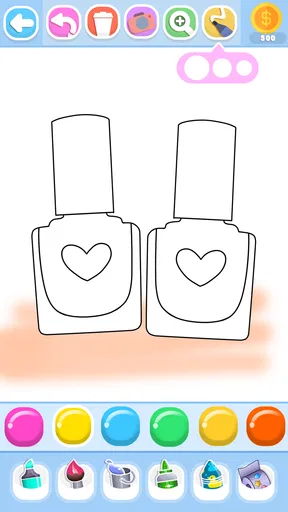
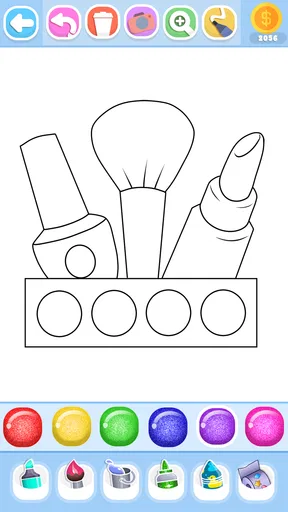
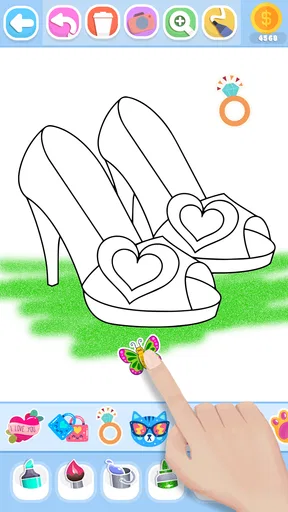

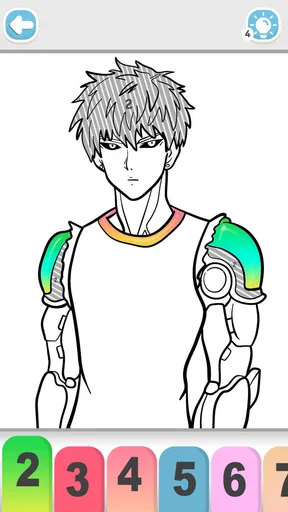
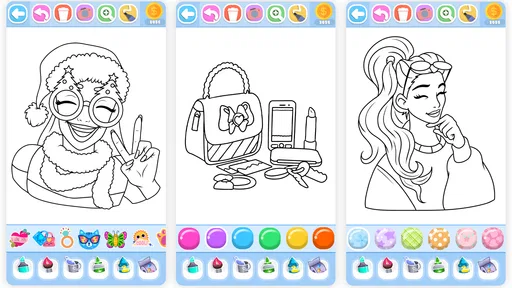
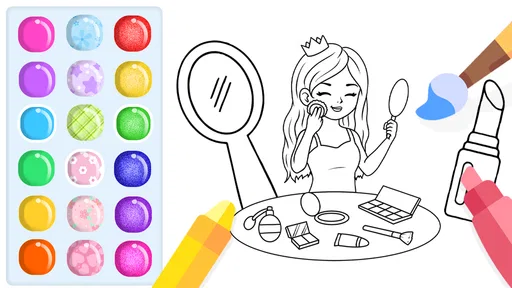
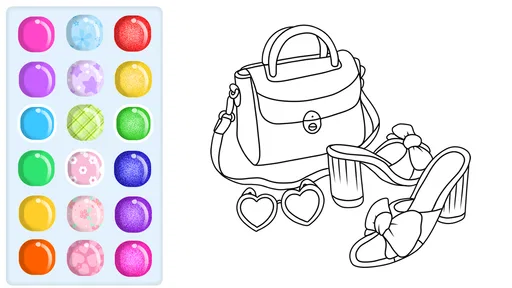
 Analysis by AppCompare
I would treat Glitter Beauty Coloring Pages as a casual digital coloring activity rather than a full drawing studio. Its glitter-focused beauty-art theme gives it a clear appeal for children and anyone who enjoys decorating ready-made pictures, while the simple coloring format keeps the first session approachable. I’d be more cautious if you want to sketch from a blank canvas or need detailed illustration tools; the experience here is centered on coloring pages.
Where coloring sessions can get frustrating
The easiest part is choosing a color and filling in an area. The moments that can take more patience are the small details: a narrow outline, a tiny accessory, or a section close to another color. On a phone, those spots can be fiddly, and a broad brush may cover more than you intended. I’d start with larger shapes, then adjust the brush size before working on details rather than trying to finish every section in one pass.
Glitter can also make a picture feel busy if it is used everywhere. For a more readable result, I’d use it as an accent—perhaps on a dress, a star, or a hair accessory—and keep neighboring areas in simpler shades. That small choice helps the sparkle stand out instead of competing with itself. Undo and redo are useful here: they make experimenting less risky, so I’d try a color combination, look at the whole picture, and reverse it if the effect feels too strong.
Simple checks before you begin
This is a free art-and-design app from FunKidStudio, with optional in-app purchases priced from $0.99 to $4.99 per item. It is rated for Everyone and is listed for Android devices running version 7.0 or later. The current version is 39. The app has a 3.9 average from around 4,900 ratings, and has passed 5 million installs; those figures suggest it has reached a broad audience, though they can’t tell you whether its particular style will suit your child or your own tastes.
If a coloring session does not behave as expected, I’d first check the basics rather than assume the artwork is lost: make sure the device has enough battery, close other demanding apps if the screen is lagging, and reopen the coloring app if controls stop responding. For a young user, it is also worth sitting together at the start to see how the palette and undo controls work. That quick orientation can prevent accidental taps from turning into a frustrating first impression.
Recovering a picture and knowing when to pause
If you color the wrong area, use undo promptly rather than layering more color over the mistake. Redo can restore an action if you reverse too far. When a detail looks awkward, changing the brush size and revisiting it is usually more useful than repeatedly tapping the same spot. I’d also save or share a finished image when the app offers that option, instead of assuming an unfinished page will be easy to return to later.
Some trouble may come from the device or the way it is being used, not from the coloring tools themselves. A screen that is hard to tap accurately can make fine sections frustrating, especially for a child; a larger display may be more comfortable. If the app feels slow, pausing other activity on the device and restarting the session are sensible first steps. These checks won’t fix every problem, but they help separate ordinary touch-screen or performance friction from an issue with the artwork.
Worth Reading Before You Choose

EA SPORTS FC Mobile 26 Is a Bigger Football Game, but It Takes Time

Flipboard Shows What News Apps Must Do Beyond the Feed

Switching to Android Auto Means Rethinking Your Driving Routine

Google Calendar Makes a Crowded Week Easier to Manage

Ludo King Makes the Most of the Minutes Between Plans

Baby Panda World Brings Quick Play to Modern Phones, but Its Game Library Feels Busy
Who will enjoy this kind of art app
The strongest fit is a child who likes beauty-themed pictures and wants a low-pressure way to choose colors, decorate, and show a finished image to family. It can also suit an adult looking for a brief, undemanding break, especially if the pleasure is in filling a page rather than creating an original composition. A realistic use is a quiet stretch at home when a child wants an activity nearby: an adult can help pick a page, let the child experiment, and step in only if small details or accidental taps become annoying.
Compared with a general-purpose drawing app, this is a more guided activity: the page provides the subject, so there is less pressure to invent an image from scratch. That makes it approachable, but it also limits the kind of creative control you should expect. A paper coloring book is a better choice for someone who wants a tactile activity, no screen time, or more predictable control over pencil pressure. A full drawing app is better for users who want to build their own characters or work with a broader set of illustration tools.
Unleashing Your Inner Artist
One of the first things I noticed about Glitter Beauty Coloring Pages is its user-friendly interface. Even if you’re not the most tech-savvy person, navigating through the app feels like a breeze. As soon as you open it, you’re greeted with a beautiful selection of coloring pages that cater to all tastes. Whether you’re into intricate mandalas, fabulous fashion designs, or enchanting fairy tales, there’s something here for everyone.
What truly sets this app apart is its glitter feature. It’s not just coloring; it’s adding a magical touch to every stroke. The sparkles give your artwork a dazzling finish that’s hard to resist. The app provides a variety of glitter shades, so you can experiment and find the perfect hue for your masterpiece.
A Palette of Possibilities
The color palette is extensive, offering a wide range of shades to choose from. This is where the app shines—literally and figuratively. You can go for bold and bright colors or opt for soft pastels. The choice is yours, and the possibilities are endless. The app also includes a handy color picker tool, allowing you to match colors seamlessly.
Moreover, the app has a neat feature that lets you undo or redo your actions. If you make a mistake or simply change your mind about a color choice, you can easily adjust without any fuss. This flexibility makes it a perfect choice for both kids and adults who just want to have fun and relax.
Customization and Sharing
One thing I really appreciate is the customization options. You can adjust the brush size to suit your detailing needs, which is particularly useful for those intricate designs. And once you’re done creating your glittery masterpiece, the app makes sharing it with friends and family a breeze. You can show off your creations on social media or save them to your device's gallery to admire later.
Sharing your work is not just about showcasing your talent; it’s also a great way to inspire others. Who knows? Your glittery unicorn or shimmering castle might motivate someone else to pick up their virtual paintbrush and start creating!
Relaxation and Mindfulness
Besides being a creative outlet, Glitter Beauty Coloring Pages is also a fantastic way to unwind. In today’s fast-paced world, finding moments of peace can be challenging. This app provides a soothing experience that helps calm the mind. The act of coloring, combined with the gentle sound effects, can be incredibly meditative.
It’s a perfect tool for practicing mindfulness. Focusing on selecting colors and watching them come to life on the screen can help you stay present and forget about any stressors outside the app. It’s like a mini-vacation for your brain, whenever you need it.
Compatibility and Accessibility
Another great aspect of the app is its compatibility. It’s available for both Android and iOS, so no matter what device you’re using, you can dive into the world of glittery art. The developers have also done a fantastic job ensuring the app runs smoothly across different devices without any hiccups.
In terms of accessibility, the app is designed to cater to users of all ages. The interface is intuitive, and the features are easy to understand. Kids can enjoy it as much as adults, making it a great family-friendly app.
Overall, Glitter Beauty Coloring Pages is a sparkling addition to anyone’s app collection. Whether you’re a seasoned artist or a beginner looking to explore your creative side, this app offers a delightful experience filled with color and magic. So, go ahead, download it, and let your creativity shine!
My practical verdict
I’d recommend it when the goal is an easy, decorative coloring session, not a demanding art project. Glitter shades, a broad palette, brush-size adjustment, and undo and redo give users room to experiment without turning the activity into a technical lesson. The useful trade-off is that this guided format feels welcoming precisely because it does not ask you to draw everything yourself; anyone seeking more freedom may outgrow it quickly.
For a parent choosing an activity, I’d try a short session together first and see whether the beauty-themed pages hold the child’s interest. The Everyone age rating makes the intended audience broad, but it is still worth checking whether the app’s style and any optional purchase prompts feel suitable for your family. Since the app is free to start and includes optional purchases, I’d also make clear to a child that paid items are not necessary to enjoy a basic coloring session.
My main reservation is that the original review’s enthusiasm for smooth performance and broad compatibility should not be taken as a guarantee for every device. Touch accuracy, screen size, and device responsiveness can change how pleasant detailed coloring feels. If the page looks cramped or a child keeps missing small areas, moving to a larger screen or choosing a simpler coloring activity is a more practical solution than insisting on finishing that page.
In the end, I see this as a cheerful, approachable option for people who like ready-made beauty designs and a little sparkle. I would choose it for a relaxed coloring break, a child who enjoys choosing shades, or a quick creative activity to share at home. I would skip it in favor of paper, a blank-canvas drawing tool, or a more flexible art app if tactile materials, original illustration, or precise control matter more than decorating a prepared page.
Pros
- Vibrant color palette enhances creativity.
- User-friendly interface for all ages.
- Regular updates with new pages.
- Offline mode available for on-the-go fun.
- No intrusive ads during coloring.
Cons
- Limited free pages
- more in premium.
- Occasional app crashes reported.
- In-app purchases can be pricey.
- Some users find navigation confusing.
- Requires a stable internet for updates.
FAQs for Glitter Beauty Coloring Pages
What is Glitter Beauty Coloring Pages?
Glitter Beauty Coloring Pages is an interactive coloring app designed to provide a relaxing and creative experience for users of all ages. The app features a variety of beauty-themed illustrations, allowing users to apply glitter effects to their artwork. It's perfect for anyone looking to explore their artistic side while enjoying a touch of glamour.
Is Glitter Beauty Coloring Pages free to use?
The app is available for free download on both Android and iOS platforms. While the basic features are accessible without cost, there might be additional in-app purchases or subscription options for unlocking premium content, such as exclusive coloring pages and enhanced glitter effects.
What age group is Glitter Beauty Coloring Pages suitable for?
Glitter Beauty Coloring Pages is designed for users of all ages, from children to adults. The intuitive interface makes it easy for kids to navigate, while the variety of detailed images and glitter options can also engage older users looking for a creative outlet.
What are the main features of Glitter Beauty Coloring Pages?
The app offers a wide range of beauty-themed coloring pages, customizable glitter effects, and a user-friendly interface. It allows users to save and share their creations on social media. Additionally, the app provides regular updates with new illustrations to keep the experience fresh and exciting.
Can I use Glitter Beauty Coloring Pages offline?
Yes, once the app and its content are downloaded, you can use Glitter Beauty Coloring Pages offline. This makes it an excellent option for on-the-go creativity, whether you’re traveling or simply without internet access.


